
There was a time when this blog was all the rage. I have not maintained it the way that I wish I could, but the truth is that life gets in the way. These last few years I have spent more time teaching, and until my life settles down that is not likely to change.
While it is nice that as a trainer I usually get a lab environment for my classes, I have always found them unsatisfactory. Oh, they are fine for the out-of-the-box demos that some of the courseware providers hope you deliver, but they are lacking in so many ways… not to mention the limitations! They are also transitory – If I want to tweak an environment to my liking that is fine… but I have to do it at the beginning of every week – and in the case of some of the cloud labs at the beginning of every lab. That is, at the very least, highly inconvenient.
I have always found it more to my taste to have my own lab environment, and throughout most of my teaching career I have maintained just that. When I left my last full time job and went back to teaching I had an old but very solid and workstation onto which I installed Windows Server and Hyper-V. I was limited to whatever the 32gb of RAM the laptop had could do, but that was, for most things, sufficient.
A little over a year ago I was gifted another old laptop that was not nearly as powerful as the original one, but it still had an Intel Core i7 CPU with 16gb of RAM. I decided at that point to convert my NAS device into a SAN, and while the processors were not quite close enough for live migration, I nonetheless was able to build a Hyper-V failover cluster with shared storage. I was in business… kind of.
In the Army I learned that good enough is always good enough, and perfect is seldom worth the extra cost and effort. A couple of months ago I realized that the environment that I had was not good enough… it was ramshackle and held together with duct tape. All too often my demos wouldn’t work because of faults in the system… not to mention that laptops are a) not meant to run a server operating system and act as a full-scale virtualization host, and b) thirteen- and fourteen-year-old laptops are not meant to work, let alone perform.
I have so often told people that a demo environment need not be built on the latest and greatest technology, but it does need to be built the way you would expect it to be built in a production environment. For me, that means that servers should not be installed with the graphical user interface (GUI) unless absolutely necessary… and a hundred other minor annoyances that I endure every time someone shows me their demo systems. I was going to rebuild my lab environment… and I was going to practice what I preach.
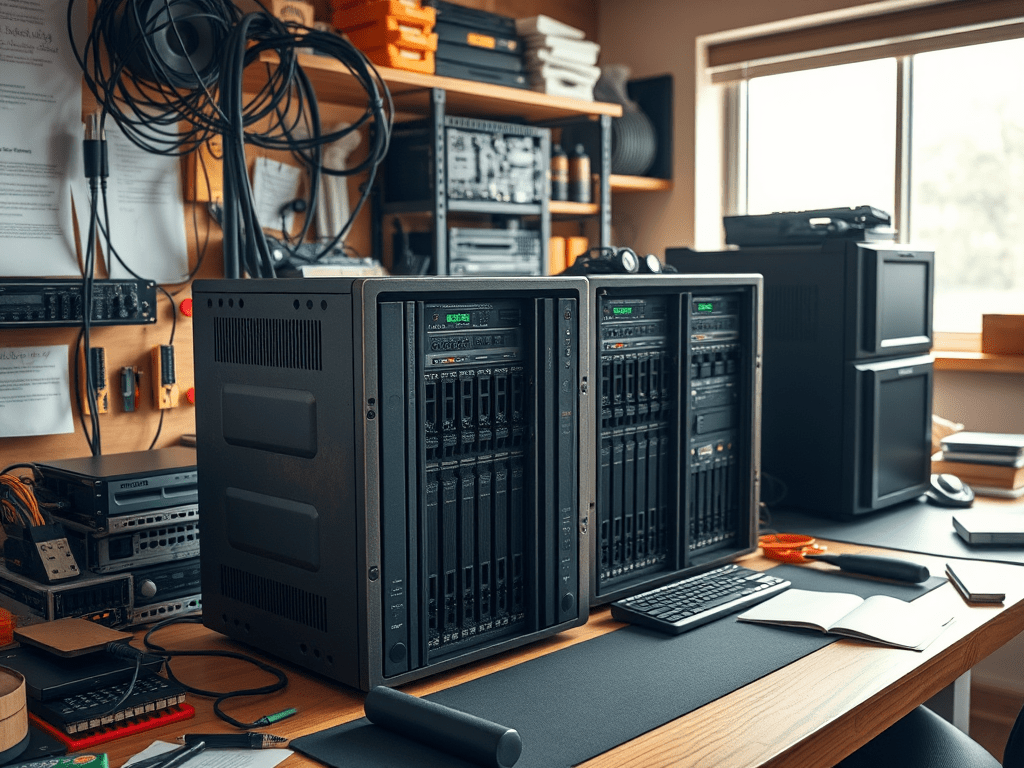
Old servers are reasonably easy to come by for cheap… I found someone selling a couple of pizza boxes that I was able to pick up without breaking the bank. They each had hardware RAID, redundant power supplies, and four NICs (in addition to the backplane management system). Between the two servers there was about 200gb of RAM, and I would redistribute that to split it pretty evenly between the two boxes. They may be fifteen-year-old servers… but they are still servers.
I should mention that installing a modern operating system on 15-year-old hardware is not the easiest thing to do. I was stymied a few times as I tried to get going, but in time I finally got Server 2025 installed on them both. I suppose not needing the GUI helps – fewer drivers were needed. I had to enable Virtualization in the CMOS, but once that was done Hyper-V installed without a hitch, and I was on my way!
The old laptop lab had a lot of issues, especially when it came to the failover cluster. I got it to work with the help of USB to Ethernet dongles, but that is not how clusters are meant to be built. Every so often (and usually at the most inopportune times) the cluster would break and I would be back to square one. Having actual hardware NICs made life much easier on me. I am not saying that it will never crash… but it has not crashed yet, and that is saying something.
I want you to know that I guess I cheated a bit… before I started installing my new domain, I reinstalled one of my laptops with Server 2025… with the GUI. Yes, I know… I say you should never do that! I installed all of the RSAT tools onto it… more on that later.
After I installed Hyper-V onto the GUI server I created a VM onto which I installed Server 2025… and made it a domain controller on which I created a new domain. For those of you paying attention, yes it is still called Behike.ca. I immediately joined my three (two permanent and one temporary) hypervisors to the new domain so I could get started building permanence. Oh, and I connected my SAN to both permanent hosts so that I would eventually be able to create my failover cluster.
I installed two VMs onto each server that would not be failover machines. DC1 and DC2 are my new domain controllers, and because I built redundant DCs there is no need to make them failover. Remember my old trivia question: How many domain controllers should you have in your organization? Answer: ≠1 (not one). If you are too small for Active Directory Domain Services then you do not need one, but if you are going to deploy AD DS then you need at least two of them. I also built two non-failover jump boxes running Windows 11 onto which I installed all of the Remote Server Administration Toolkit (RSAT) consoles so that I could log into either and manage them without any issue. Cool!
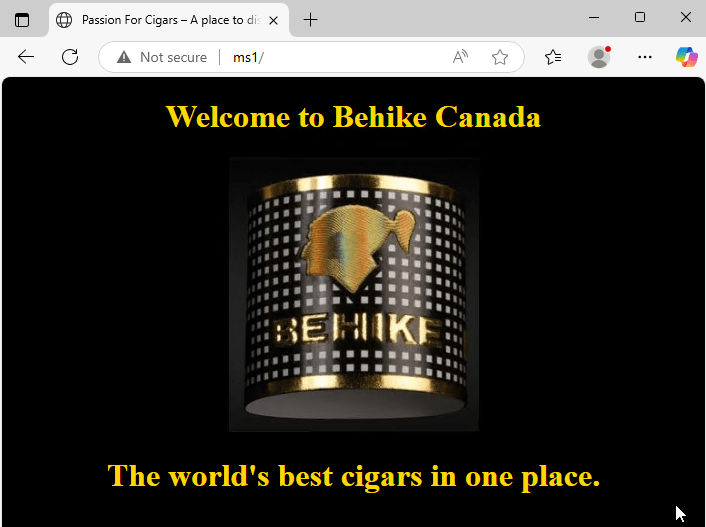
Once I had all of those systems made and I created the Failover Cluster, I built two more machines (both of which are FC roles). The first is a web server that consists of a site that does nothing except welcomes you to the site. It is not connected to anything, and as of now (as you can see) it does not even have a security certificate.
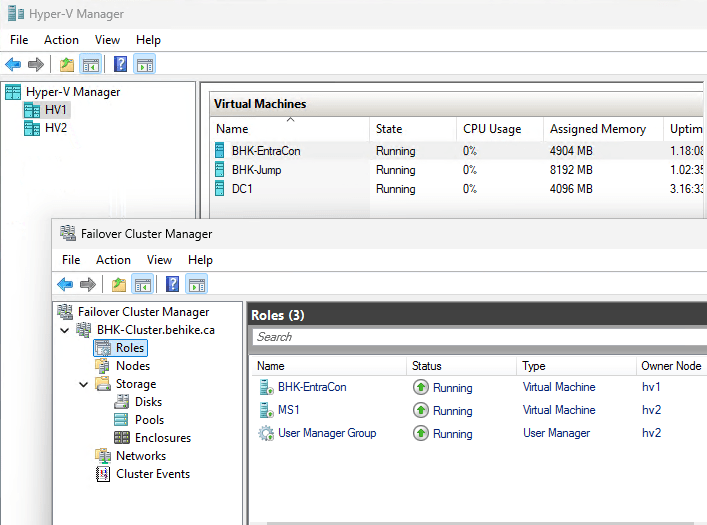
The next machine does a lot more than MS1, and it not strictly for demo purposes. BHK-EntraCon runs Microsoft Entra Connect which allows me to federate my on-premises Active Directory Domain Services (AD DS) with my cloud Entra ID systems. While I am not planning to migrate my lab environment into the cloud, it is nonetheless something that I teach and I like being able to demonstrate it. I also took the opportunity to enable HAADJ – Hybrid Azure Active Directory Join for my workstations.
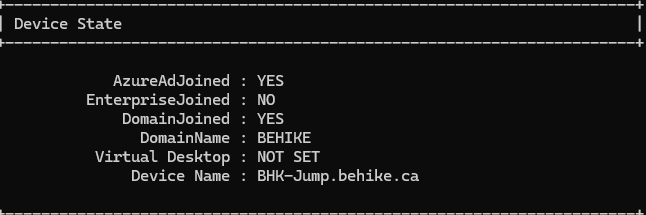
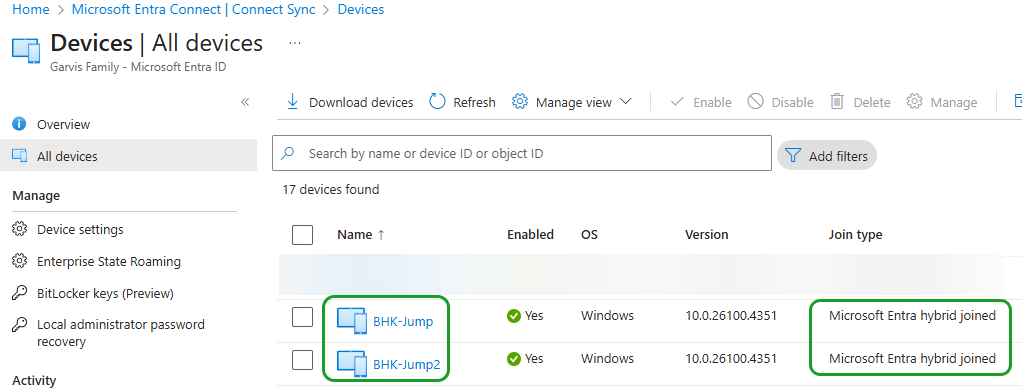
We can see that both of my Windows 11 devices are Entra hybrid joined, which means that they can work with both my on-premises and cloud environments with a single idenntity.
Am I done? Not by a long shot. Before I am through I will have a couple of Linux machines running, possibly a few System Center boxes (plus Microsoft Endpoint Configuration Manager, or whatever they are calling SCCM these days). What other servers will I have? I don’t know just yet… but I’ll have fun.
I am planning to expand my network with a separate switch to segregate my SAN traffic from my production network, and on that switch I will also likely build a management network for the iDRAC and Cisco backplane. There are so many things that I can do, but I am not going to blow the bank right now. However the ability to demonstrate all of the components that I teach from my own network makes my life as a technical trainer much simpler… I can demonstrate the concepts that I teach without having to rely on the cookie-cutter and often inadequate lab environment that the courseware provides.
Please do not think that by saying this I am in any way knocking the labs… I am not. The labs are meant for students to get their hands on technology that they can use and learn and break. The lab is meant for me to be able to demonstrate technologies that they might want to see in action before they do the labs… or others that might not be in the labs, but would be interesting to show.
My classes follow a curriculum to be sure, but while I am happy to use the slides I do not like just showing the step-by-step demo instructions that I am sometimes provided with. I like showing my students what the technologies I teach look like in the real world… or possibly break something that they can then see how I would fix. There are myriad reasons to have a lab environment as a technical trainer, both for demonstration purposes and for advancing one’s own learning.
Now I know a lot of people are going to tell me that running a virtualization environment at home is passé… in this day and age we should be running our labs in the cloud. That is a perfectly fair point… until one realizes the operational expenses of running such an environment. With the systems that I need in my lab it would cost per month nearly as much as I had to spend on the hardware to set it up here.
This demo environment is going to be ever evolving, so it is pointless to try to enumerate all of the virtual machines that I have so far and plan to set up. The point is that it is my environment, and I can use it as I need, evolve it as necessary, and build out any custom demos that I might need as I see fit. Do I wish the physical servers were a bit faster? Of course… and if their speed (or lack thereof) ever becomes a hindrance then I can upgrade the environment when I have the funds. For now the systems are not the fastest but they are going to suit my purposes just fine.
If you only need one virtual machine, and that only from time to time, then sure, you are likely best off building them in the cloud. If you live in a small space and have nowhere that you would be able to escape the constant whirring of the myriad fans present in server hardware then again, this setup is likely not for you. While the two pizza boxes that I have running under my desk are nowhere near as loud as the server that I affectionately referred to as The Hovercraft when I had it running in my apartment in Montreal twenty years ago, it can nonetheless be a bit loud at times… although they do not bother me, I can imagine that some people might find the noise bothersome. If you do need multiple VMs for more than a couple of hours per month, and if the noise will not be a bother, then I highly recommend this sort of setup for anyone who needs (or wants) a lab environment to play with.
Conclusion
I started teaching Hyper-V in 2008… before it was actually named Hyper-V. I spent several years evangelizing it for Microsoft Canada as a Microsoft Certified Trainer, a Microsoft MVP, and for a couple of years as a Virtual Technology Evangelist. I told my students that they needed to learn virtualization because it was not going away in our lifetimes. The fact that a lot of it has been migrated into the cloud does not negate the fact that server virtualization is here to stay; knowing how to build a virtual lab at home or in your office is going to save you a lot of money that Azure or AWS or Fred’s Cloud Solutions and Pizza Parlour will charge you on a monthly basis for the same solutions… and you will always retain control over the environment.
 The World According to Mitch
Leave a comment