-
Windows 10 Support Extended
I know, I am a couple of months late on this… on February 1st, 2018 Microsoft announced that it would be extending support on Windows 10 Editions 1709, 1703, and 1607. That means that instead of having 18 months of support, you will have 24. The bad news? This applies only to the Enterprise and…
-
I Think… therefore, I am uncertain.

I spend a lot of time speaking with clients about their environments. From time to time, my job is to ‘interview’ them, so that I can properly document their environments. Recently I was speaking with a couple of admins at a private sector company who were very proud of their environments. They had hired a…
-
La Aurora Escogidos
Sorry folks, this post was never intended for this site. To read the actual article, please visit www.passionforcigars.com! MDG
-
Windows Live Essentials… died quietly.
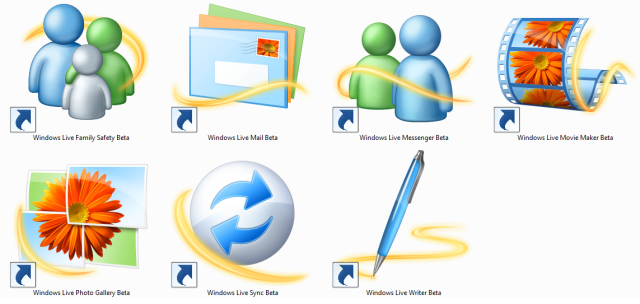
I have been blogging on WordPress for years, and before that I used a different platform… but it has been over a decade that I have been using Windows Live Writer to write my blog articles. On occasion, I would write on the WordPress app on my phone or iPad, and sometimes even from the…
-
SCOM Prerequisites: A Web of Confusion

Microsoft’s System Center Operations Manager (SCOM) has several prerequisites that must be installed for each component, and frankly, some of those can be cumbersome to get around. Of course, it is nice for the SCOM installation console to let us know that Report Viewer (a free download from Microsoft, link provided in the notifications window)…
-
It’s Good to be Back…

It is hard to believe that it has been twelve years since I first became an MCT…
-
I Made The Papers!
It has been a long time since I got a notification that an article I wrote made the top of anything, so this morning when this came across my Twitter feed I was quite pleased: @vanessabruwer: The latest System Center Weekly Roundup! https://t.co/oT361QLUE6 Thanks to @USportsSG @MGarvis @ComtradeSoftw #sccm #sysctr Yes, this put a smile on…
-
Juiced Again!

About 2.5 years ago, I wrote an article called I’m Juiced… Because my Surface Pro 3 Got Juiced! It was a play on words because I had won an adapter for my Surface Pro from Juiced Systems that was a 4-in-1 adapter custom-fitted to the Surface Pro 3, with two USB 3.0 ports, an SD Card reader,…
-
SCOM Management Packs: Removing Foreign Languages
When you go to add Management Packs (MPs) to System Center Operations Manager, there is that temptation to be lazy and just add everything. This will clog your environment with a lot of things you do not need… including MPs in languages that you likely do not speak, read, or care about (within the context…
-
Operations Manager: How to List What Management Packs Are Installed?
A client asked me recently how to determine what Management Packs he had installed in his System Center Operations Manager (SCOM) infrastructure. I told him to open his Management Console and navigate to Administration – Installed Management Packs. It was a short conversation. Easy peasy, right? Here’s a list, go with G-d. Twenty minutes later, my phone…
-
Tapplock: Leave the Combinations & Keys At Home

Over the course of the last three years or so, I have gone through more padlocks than I care to admit. Even when I am careful, I write down the combinations, I label the keys… they always seem to get lost. Even when I do remember them, on two occasions I have had to throw…
-
SCOM License – Upgrade?
The installation of System Center Operations Manager (SCOM) 2016 does not ask you anywhere to enter a license key. Then when you run the Operations Console, you are shown a required task to Upgrade to full version. When you click on the link, it opens a website that is less than helpful. In fact, when you…
-
Enabling Agent Proxy in SCOM 2016
System Center Operations Manager (SCOM) chiefly relies on Agents in order to collect the data required to generate its reports. After all, SCOM’s primary functions are monitoring and reporting, right? Well, in order to do this for hundreds to hundreds of thousands of computers, there is a feature called Agent Proxying that helps it out. …
-
Expensive Pieces of Plastic
Once again, I find myself sitting at the Microsoft Store in Yorkdale Mall, Toronto. Frankly, if it were not for the snow and traffic, I likely would have dealt with this online, once I got around to it… but Highway 401 through Toronto has a tendency of being congested, so here I sit. Over the…

The World According to Mitch
The day to day ramblings of an IT Professional (and so much more…)
 The World According to Mitch